No more documents lost between email and WhatsApp
In an agency, documents get scattered: a memo in a chat, the price list in an email, the manual in three versions. The wiki is the one place to upload them and find them again.
- WhatsAppThe memo sinks to the bottom of the chat and whoever was on holiday never sees it
- EmailThe supplier price list is in an email from three months ago, possibly outdated
- Shared foldersThree versions of the operating manual and nobody knows which is the latest
- Word of mouthNew joiners ask colleagues where the forms and procedures are
- Memos are numbered and stay available to everyone, even months later
- Cost and supplier price lists are always in the latest version
- One operating manual: when it changes, it changes for everyone
- Everyone finds what they need on their own, with full-text search
Everything that circulates in chats, emails and folders today
Management's announcements, numbered and archived: read them when they come out and find them again when you need them.
How to win a listing, how to handle a negotiation, how to use the platform: the agency's procedures, written down once.
Costs, suppliers and useful contacts always up to date: nobody uses last year's price list any more.
Training materials and reading paths for people joining the agency.
Listing agreements, offers, checklists: PDF, Word or Excel attachments, always downloaded in the latest version.
Org chart, roles, house rules and cloud folder structure: who does what, in black and white.
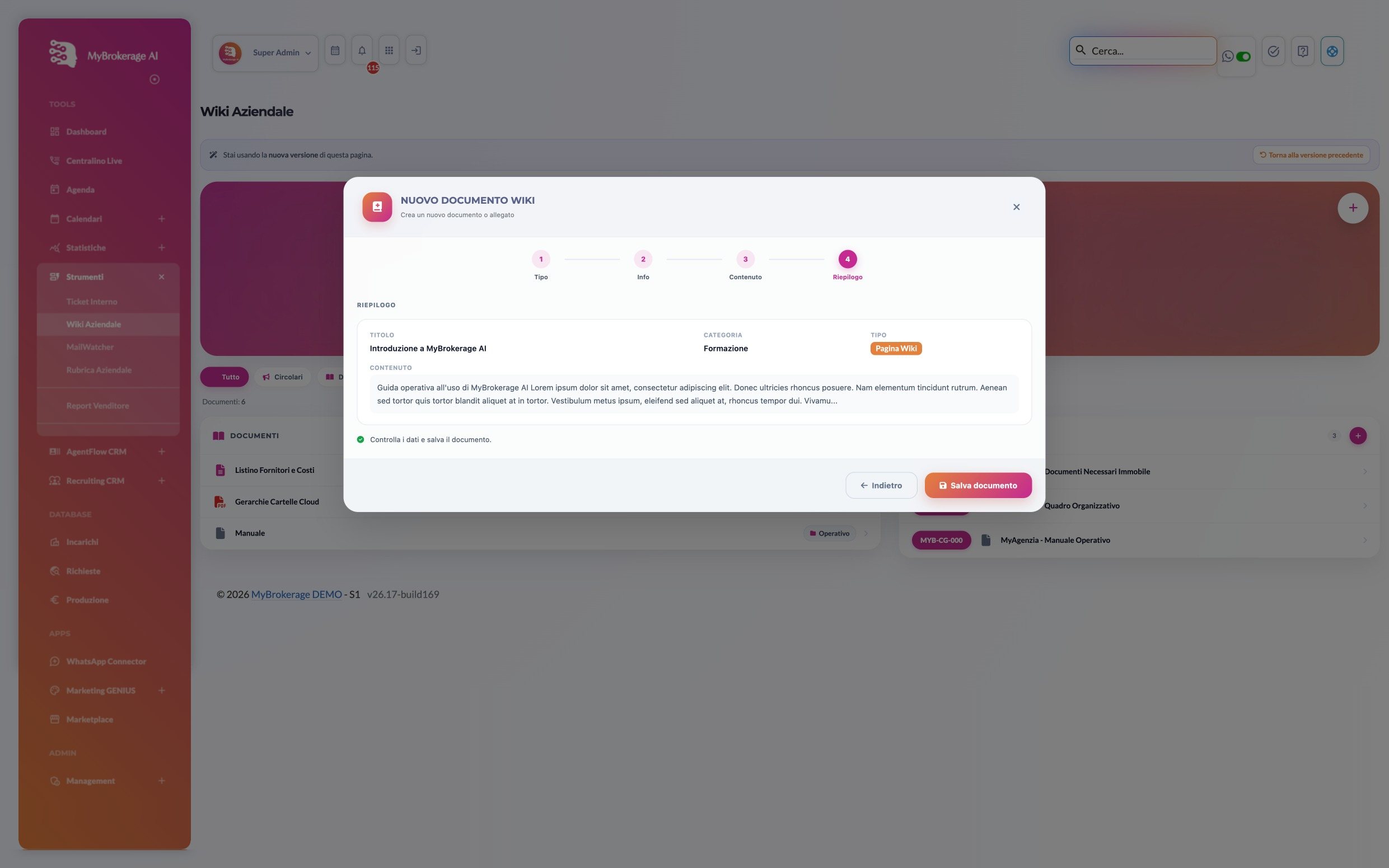
Four steps, and the whole agency has the document
This is the real Company Wiki, inside MyBrokerage. Scroll and follow management as they publish a new guide for the team.
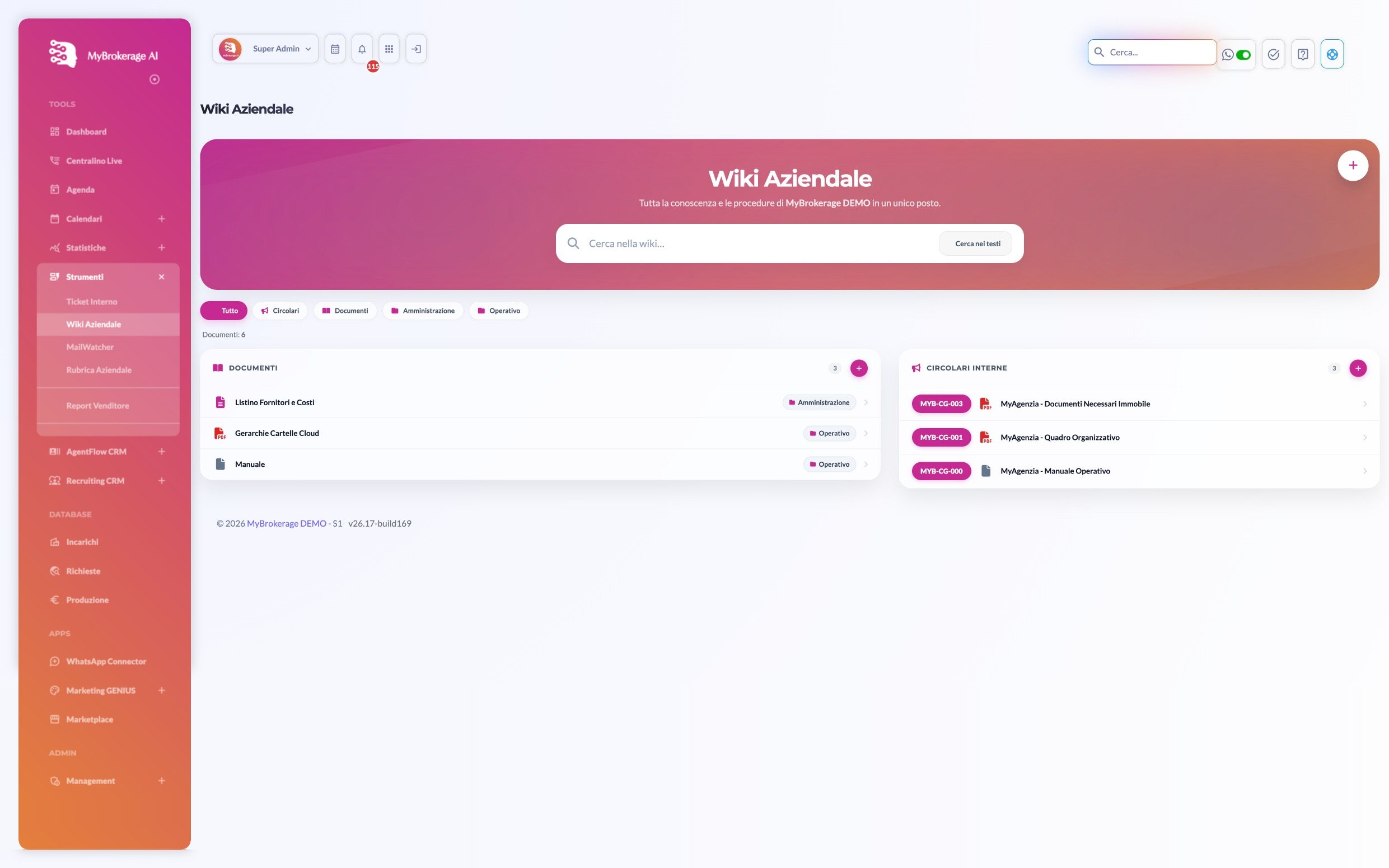
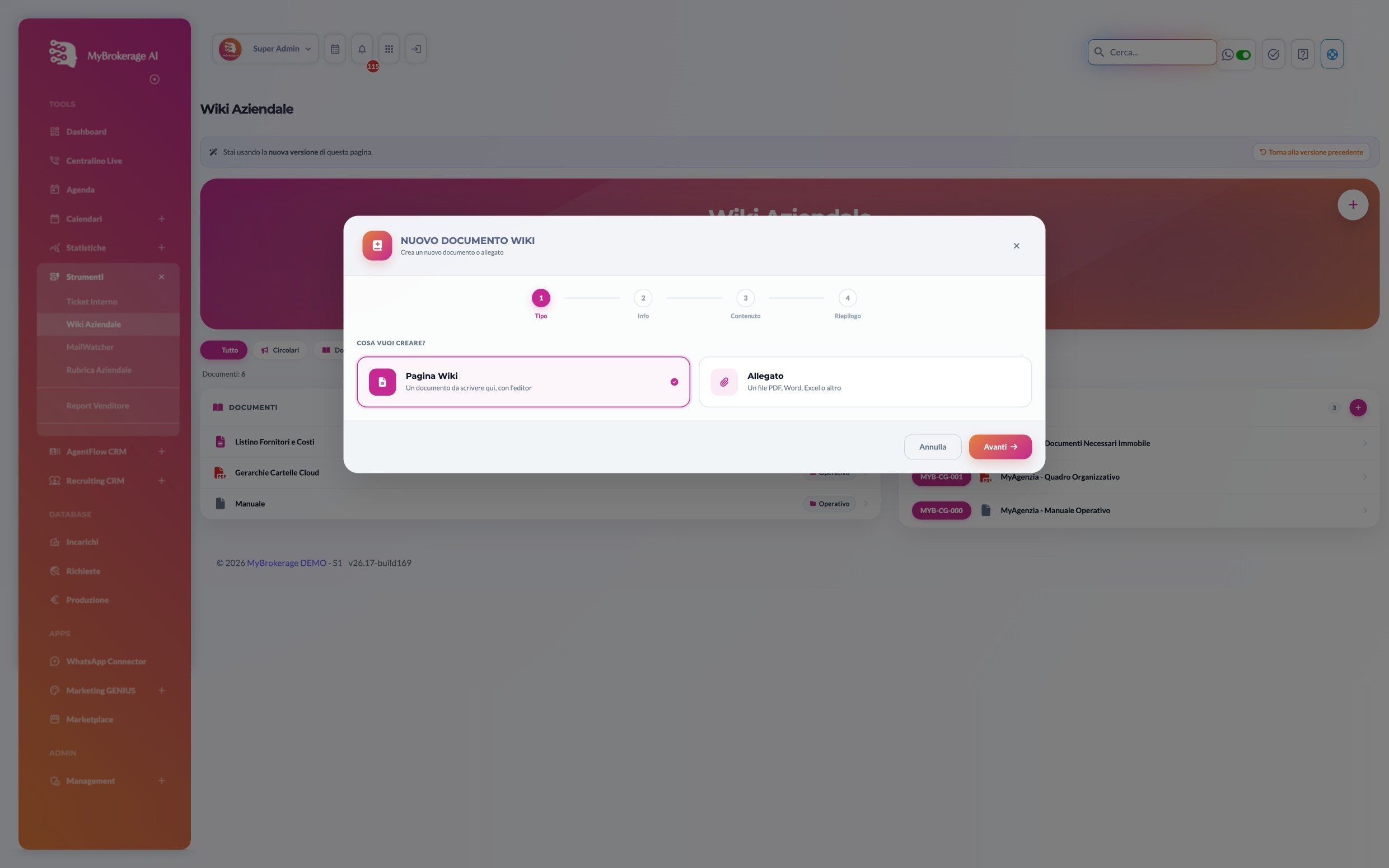
A page to write or a file to attach
From the + button, choose what to create: a wiki page written straight in the editor, or a ready-made PDF, Word or Excel attachment.
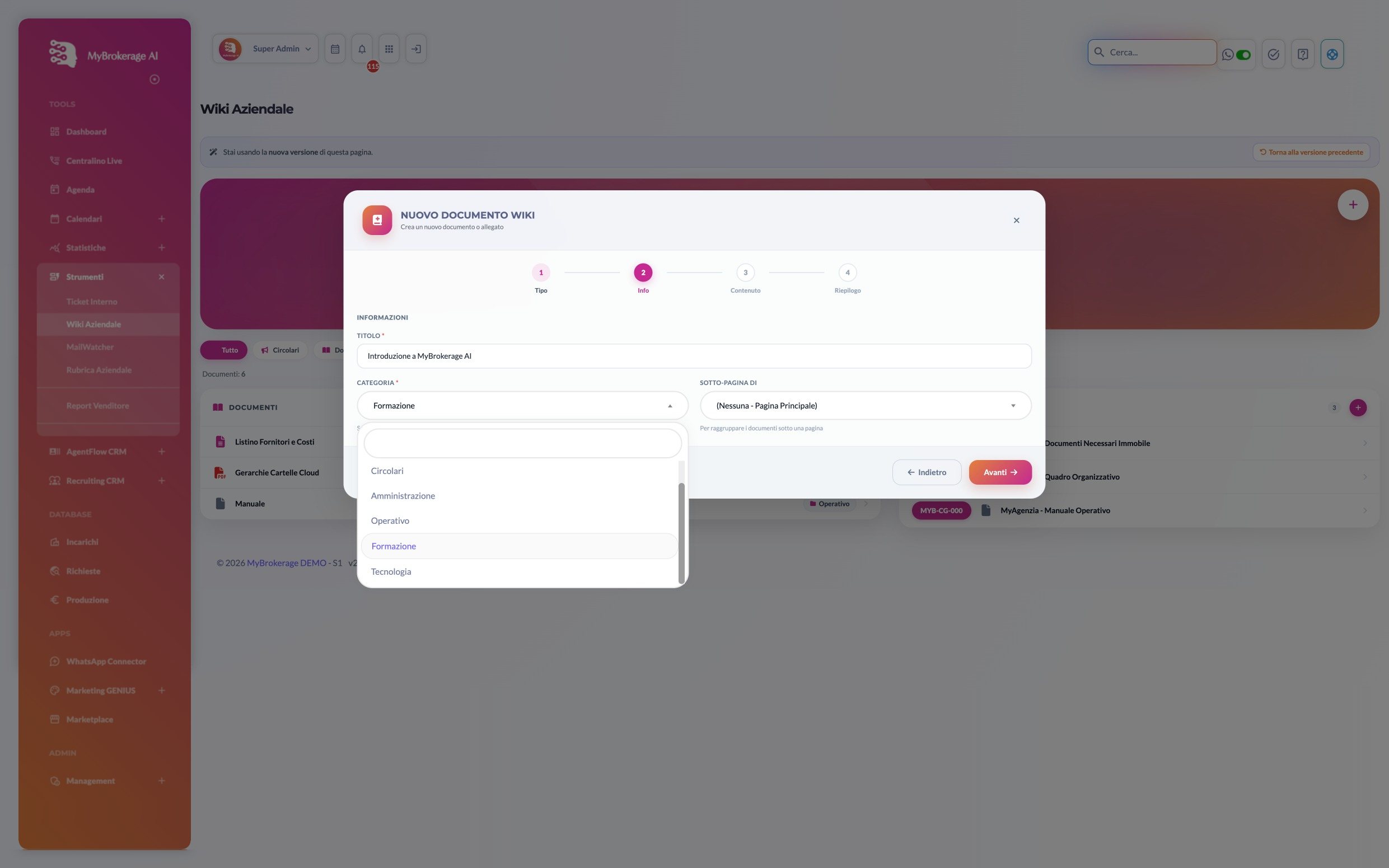
Title, category and position
Give it a title and pick the category: memos, administration, operations, training. If needed, place it under an existing page to keep related documents together.
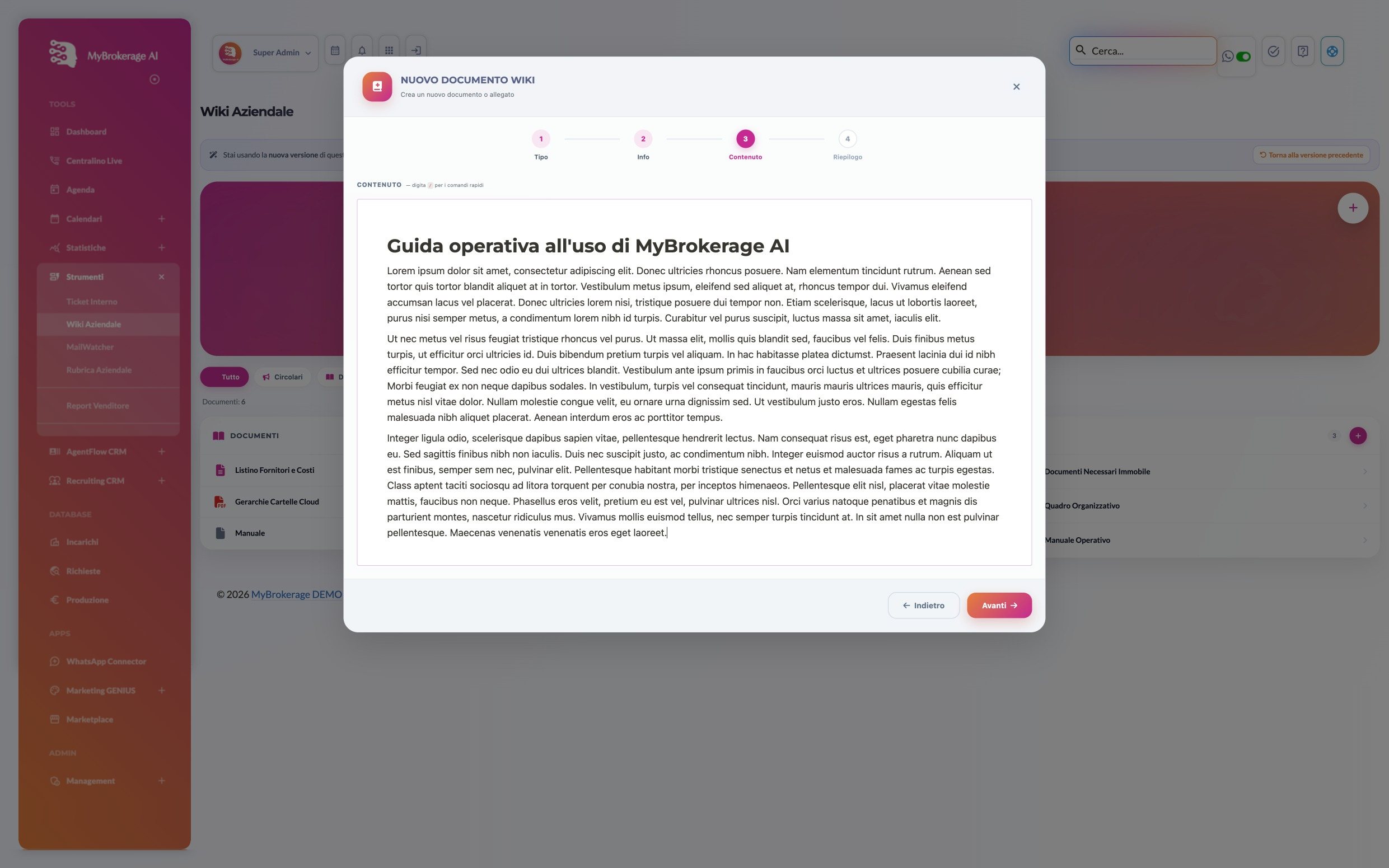
Write as you would in a document
The editor works like any document: headings, paragraphs, lists. Type / and the quick commands are right there.
Check and save
A summary with title, category, type and a preview of the content. One click on Save document and it's published.
And the whole agency has it straight away
The document goes into the wiki, in its category, alongside memos, manuals and price lists. No email, no WhatsApp message: whoever looks for it finds it.
The agency's rules no longer live in someone's head
New joiners get up to speed faster
New agents have a reading path ready: how listings are won, how to use the platform, what the house rules are.